Apparel Artwork Approval Checklist: Release One Decoration Asset
Release one garment-decoration artwork asset with a controlled filename, revision, scope, dependencies, decision authority and explicit downstream limits.
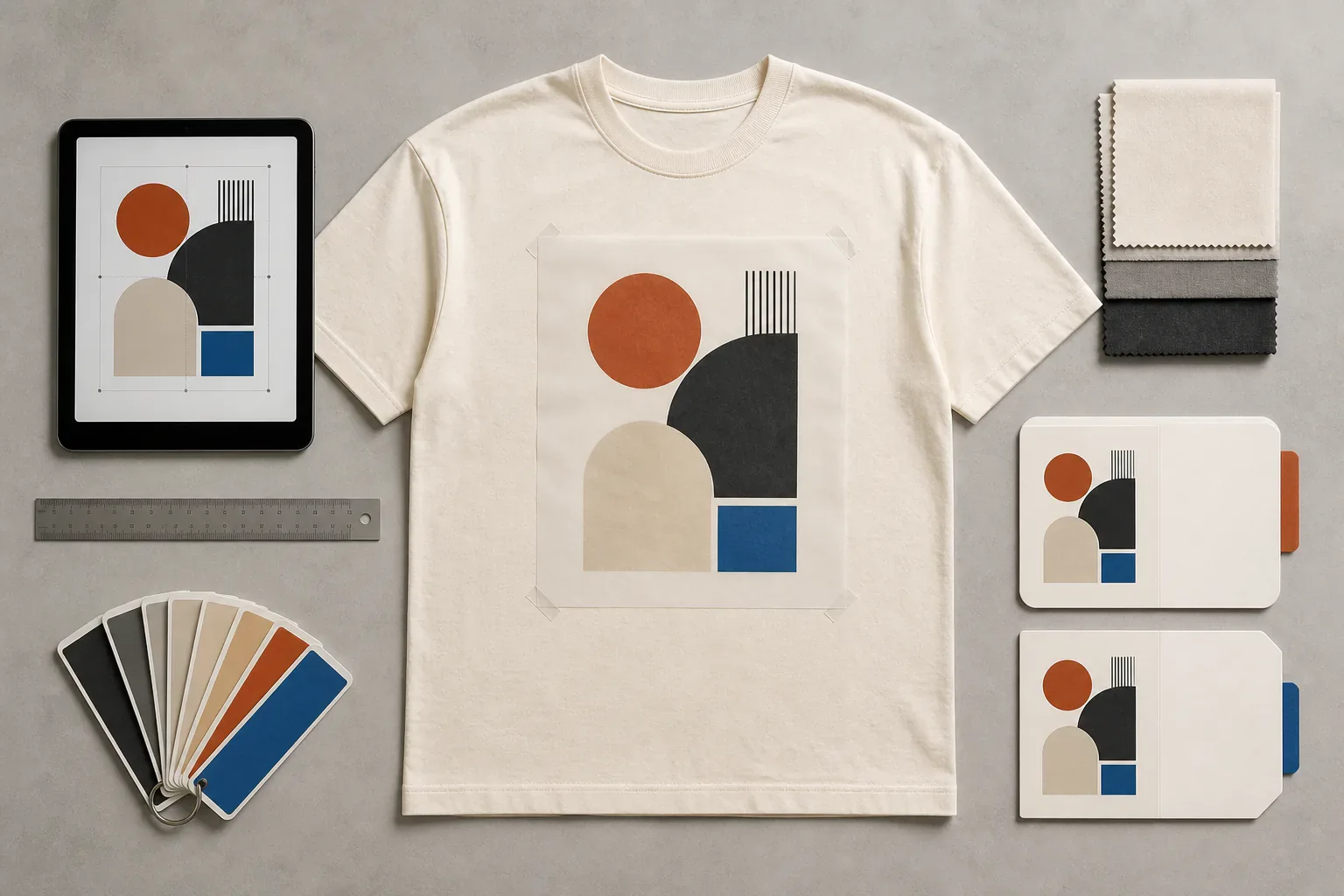
An apparel artwork approval record identifies one garment-decoration asset, its exact revision and the authority that released it for a stated downstream purpose. It should let a designer, product developer and factory answer the same question without opening a chat history: which file may now enter technical preparation for this named decoration placement?
This page deliberately owns only that release record. It does not control the whole tech pack, choose or engineer the decoration method, approve a print strike-off, approve a pre-production garment, authorize bulk production, or approve neck-label, care-label, hangtag or packaging artwork. Those are separate decisions with separate evidence.
What does the artwork record control?
Use one record for one artwork asset and application scope. A front graphic, sleeve graphic and back graphic should not share one vague “logo approved” status when they use different files, sizes or orientations.
| This record controls | This record does not control |
|---|---|
| Artwork ID, title, source filename and revision | The complete tech pack |
| The exact asset released and its file dependencies | Screen separations, embroidery digitizing, transfer profiling or other method preparation |
| Intended decoration location and linked placement ID | Construction measurements or every placement coordinate in the garment specification |
| Design dimensions, orientation and color references | How ink, thread or transfer film will reproduce on a physical substrate |
| Applicable style, colorway and size scope | A print strike-off or PP garment decision |
| Decision status, approver, date and release purpose | Purchase-order release, bulk authorization or inspection acceptance |
The phrase artwork approved is too broad on its own. Prefer artwork revision R3 released for technical preparation for placement PLC-02 on style H01, black colorway. That sentence names the object, revision, next permitted action and scope while leaving physical execution open.
Which fields belong in an apparel artwork release record?
A useful record contains enough identity and context to prevent substitution without copying every instruction owned elsewhere:
- Project, brand, style code and linked tech-pack revision.
- Artwork ID and human-readable name.
- Source filename, file type, revision and issue date.
- Optional checksum or repository version when the workflow can preserve it.
- Linked placement ID, garment area and intended reading orientation.
- Final design dimensions and unit, or an explicit statement that size remains open.
- Applies-to scope: styles, colorways and sizes.
- Design color names and the controlled color-reference source, if any.
- Background, transparency and negative-space intent visible in the approved viewing proof.
- Fonts and linked-image disposition.
- Release status, purpose, approver, date and comments.
- Superseded filename and successor record when the asset changes.
Do not fill an unknown field with a guess. “Final width pending placement review” is controllable; an invented dimension that quietly reaches a processor is not.
What files should accompany the decision?
The receiving decorator or factory should state which editable and viewing formats its workflow accepts. A practical handoff often contains two different objects:
- Editable source asset. This preserves the design information needed for authorized technical preparation.
- Locked viewing proof. A PDF or image lets reviewers confirm which artboard, orientation, text, colors and visual result they released without depending on the same authoring software.
Adobe's current Illustrator supported-format list includes AI, PDF, EPS and SVG among formats Illustrator can open or save. That is software compatibility, not proof that every file with one of those extensions is production-ready. A PDF may contain only a low-resolution image; an SVG may render differently after unsupported effects are converted; an AI file may depend on missing fonts or links.
For Illustrator projects with dependencies, Adobe's Package files documentation explains that a package can collect the document, permitted fonts, linked graphics and a report. Adobe says the report can identify spot-color objects, used or missing fonts, missing links, and linked or embedded images. The artwork record should therefore state whether fonts are outlined, embedded, separately licensed or still live, and whether every linked image is embedded or included.
Font files are not automatically transferable. Adobe's font packaging guidance notes that permissions depend on the applicable license. The brand should provide an authorized output route rather than asking a factory to obtain or copy an unlicensed font.
How should vector, raster and text assets be reviewed?
File type changes the questions, not the approval boundary.
Vector source
Check that the intended artboard is identified, paths are complete, clipping and transparency are intentional, and text treatment is declared. Confirm that the viewing proof matches the editable source. Do not assume “vector” means every line or gap can be reproduced by the chosen method; minimum detail and process conversion belong to technical preparation and physical trials.
Raster source
Record pixel dimensions, color mode and intended physical output size. Review the asset at that output size for visible compression, halos, accidental backgrounds and lost edge detail. Avoid a universal resolution rule: acceptable source data depends on the decoration process, scale and processor. The receiving technician should accept or reject the asset against the method-specific requirement.
Live text
Record the typeface, style and font disposition. If text is converted to outlines, retain an authorized editable master elsewhere and compare every character in the released proof. Outlining prevents later text editing; it does not verify spelling, trademarks or licensing.
How should size and placement stay connected without duplicating the tech pack?
The artwork record may release the design at a stated width and orientation, but it should link to the placement owner rather than create a second placement specification. For example:
Artwork: ART-FRONT-03_R2.ai
Released design width: 285 mm
Orientation: reads upright when garment is worn
Placement reference: PLC-03 in Tech Pack H01_R5
Applies to: black and stone colorways, sizes S-XL
The tech pack remains responsible for the placement reference, measurement origin, construction relationship and size-dependent rules. If PLC-03 changes, the artwork record should be reviewed for impact; it should not silently keep an obsolete copied coordinate.
A mockup is useful context but not a scale authority unless the document explicitly defines one. Perspective, garment drape and image resizing can make identical artwork appear different. Use the controlled dimensions and placement reference for instruction, then use a physical sample for the assembled result.
How should design colors be recorded?
Name the design colors and reference system precisely enough that the downstream technician knows the intent. State whether a color is a named library reference, a supplied physical standard, a process-color build, an approved digital value or merely visual direction. Also state which garment colorways the palette applies to.
That record does not approve physical output. Substrate, ground color, ink or thread system, pretreatment, opacity and finishing can change appearance. A technician may need to propose a conversion or alternate build, and the resulting print or embroidery still needs its own physical evidence. Keep the color and strike-off gates separate.
Do not let a preparation operator “improve” a released color, shape or spacing without returning the design change to the artwork owner. Technical changes that do not alter the design can stay in the method-preparation record; design changes require a new artwork revision.
Where does method preparation begin?
Artwork release authorizes a named asset to enter the chosen downstream workflow. It does not perform that workflow.
- A screen-print technician may create separations, traps, underbase logic and screen-ready output.
- An embroidery technician may create a digitized stitch file, sequence, density, underlay and backing proposal.
- A transfer or digital-print technician may prepare profiles, white layers, raster output or cut paths.
- A patch supplier may prepare borders, stitch construction or tooling files.
Those outputs are process assets. The decoration method comparison owns method selection, while method-specific technicians own preparation. If preparation reveals that fine detail, gradients, negative space or dimensions cannot be reproduced as released, return a documented exception. The designer can issue a new artwork revision or explicitly authorize a bounded technical adaptation.
Never overwrite the design source with the technician's output and keep the same filename. Preserve the relationship:
Released design asset: ART-BACK-02_R4.ai
Prepared process asset: SCR-ART-BACK-02_R4-P1.pdf
Preparation record: PREP-118
Design changes introduced: none
Physical trial status: open
What status language prevents accidental bulk approval?
Use states whose permissions are explicit:
- Draft: incomplete internal work; authorizes no supplier action.
- In review: frozen for the named review round; authorizes no technical preparation.
- Released for technical preparation: the exact asset may enter the named downstream preparation process within its scope.
- Withdrawn: release cancelled; do not use for new work.
- Superseded: retained for history but replaced by a named later revision.
Avoid “approved for production” in an artwork-only record. A released design can still fail during separation, digitizing, strike-off, stitched trial or garment placement review. The sample approval checklist owns the disposition of physical garment evidence, and the purchase-order checklist owns the order's controlling revision references.
The ISO guidance on documented information for ISO 9001:2015 describes documented information as a way to communicate, preserve knowledge and provide evidence. It also identifies records of reviewed and authorized design changes. It does not prescribe this apparel template, certify the parties or make a digital release proof of product conformity.
What should trigger a new artwork revision?
Issue a new revision when the released design changes in a way that affects identity or output intent, including:
- Text, spelling, punctuation or legal mark changes.
- Shape, line, spacing, proportion or negative-space changes.
- Design dimensions, orientation or cropping changes.
- Color-reference or colorway-scope changes.
- Added, removed or replaced image content.
- A font, linked image or transparency change that alters appearance.
- A move to a different placement when the application is not already within scope.
A filename change alone is not enough. Update the release record, mark the previous revision superseded, name the successor and notify every downstream holder. If technical preparation or sampling has started, record what exists against the old asset and decide its disposition before work continues.
How can product pages be used without turning them into approval evidence?
Existing products can help a buyer discuss visual scale or garment area. A DTG boxy oversized tee, a screen-printed heavyweight tee and a chenille-embroidered varsity jacket are bounded visual references for silhouette and possible decoration zones.
They do not release a buyer's artwork, define its scale, select its method, approve a color, or prove how a new asset will reproduce on another garment. Convert the buyer's intent into its own controlled artwork record and physical approval path.
Copyable apparel artwork release checklist
PROJECT AND SCOPE
Brand / project:
Style code:
Controlling tech-pack revision:
Artwork ID and name:
Garment area:
Linked placement ID:
Applies to style(s):
Applies to colorway(s):
Applies to size(s):

ASSET IDENTITY
Editable source filename:
File type:
Artwork revision:
Issue date:
Checksum / repository version, if used:
Locked viewing-proof filename:
Supersedes:

DESIGN INTENT
Released dimensions and unit:
Orientation:
Design-color references:
Background / transparency intent:
Font disposition:
Linked-image disposition:
Explicitly open or excluded:

DECISION
Status: draft / in review / released for technical preparation / withdrawn / superseded
Named downstream purpose:
Approver and authority:
Decision date:
Comments and conditions:
Required next evidence:
Recipients notified:
FAQ
What is apparel artwork approval? It is the documented release of one identified garment-decoration asset and revision for a named downstream purpose and scope. It should identify the exact file, design intent, placement reference, approver and exclusions. It is not approval of the complete garment or bulk order.
Can a PDF or PNG be approved as the production artwork? Only if the receiving workflow confirms that the file contains sufficient, usable information for the intended method and scale. Use a locked PDF or image as a viewing proof when helpful, but keep the editable source or accepted production-scale raster asset identified separately. An extension alone does not prove usability.
Does artwork approval decide between screen printing, DTG, transfer and embroidery? No. The artwork record can name the intended downstream route, but method selection and technical preparation belong to their own owners. If the chosen process requires a design change, return that change for a new artwork revision instead of editing the released design invisibly.
Does released artwork replace a strike-off or garment sample? No. The release verifies the digital design object and permits bounded downstream work. A strike-off, stitched trial or garment sample provides physical evidence about reproduction, substrate interaction and placement. Each approval must state what it actually proves.
How should colors be shown on an artwork release? List the design colors, reference source and applicable garment colorways. Distinguish a physical standard, named library reference, process build or digital direction. Keep the physical print, thread or transfer color decision open until it is evaluated through the relevant method-specific evidence.
What happens if the artwork changes after release? Stop affected downstream work at the agreed boundary, issue a new artwork revision, mark the old asset superseded and notify every holder. Record whether existing preparation files, samples or materials are discarded, reworked or retained only as historical evidence.
References
- Adobe, Supported file formats for Illustrator, retrieved 2026-08-17.
- Adobe, Package files in Illustrator, retrieved 2026-08-17.
- Adobe, Packaging font files, retrieved 2026-08-17.
- ISO/TC 176/SC2, Guidance on documented information for ISO 9001:2015, retrieved 2026-08-17.
Related guides
 How to Prepare a Tech Pack a Factory Can Actually Quote
 Lab Dip vs Strike-Off vs PP Sample: What Each Approval Proves
 Garment Sample Approval Checklist: One Comment Sheet, One Revision Trail
 Screen, DTG, DTF, Puff or Embroidery: Choosing Your Method
 Clothing Purchase Order Checklist: Production-Ready Handoff